Analytics & Incentives
This section describes how administrators govern fairness outcomes, monitor competition health, and compute reward distributions.
Submissions
The Submissions page provides a centralized audit interface for inspecting every flag submission made across the competition.
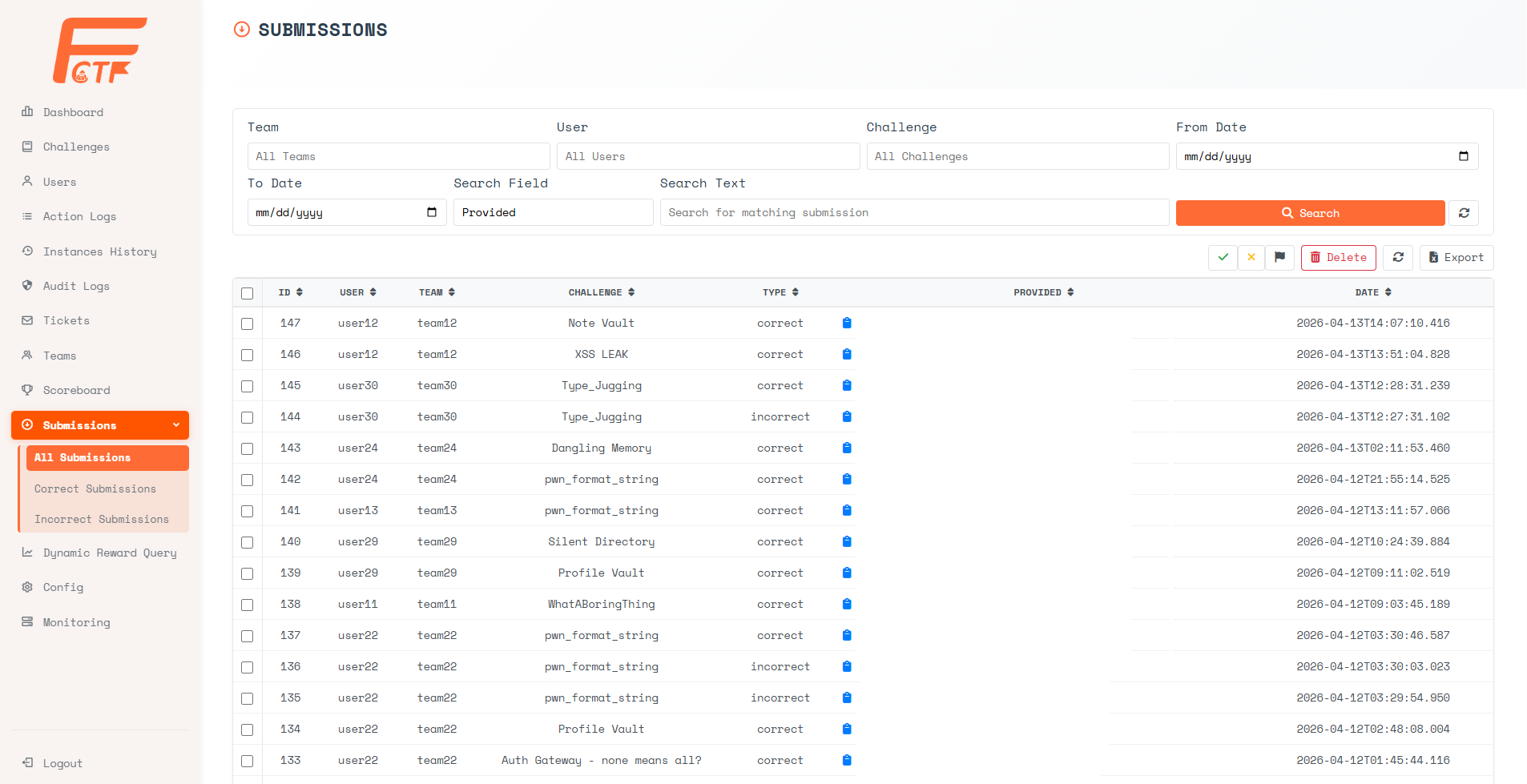
Filter Controls:
- Team / User / Challenge - Narrow the view to a specific team, user, or challenge context.
- Date Range - Filter submissions within a specific
From DatetoTo Datewindow. - Search Field - Choose the target field for keyword search (e.g.,
Providedto search by the submitted flag string). - Search Text - Free-text search matching against the selected field.
Table Columns:
- ID - The unique submission identifier.
- User / Team - The submitting user and their parent team.
- Challenge - The challenge the submission was made against.
- Type - The verdict:
correctorincorrect. - Provided - The actual flag string submitted by the contestant. Click the lock icon to reveal the value. This is critical for investigating suspected flag-sharing or brute-force attempts.
- Date - The precise timestamp of submission.
Available Actions:
- Mark submissions as correct or incorrect using the inline action buttons.
- Flag submissions for review.
- Delete selected submissions to correct erroneous records.
- Export the full submission dataset for offline analysis.
The sidebar menu exposes quick-access sub-pages: All Submissions, Correct Submissions, and Incorrect Submissions for rapid triage.
Scoreboard
The Scoreboard page displays the live competition standings as viewed by the admin.
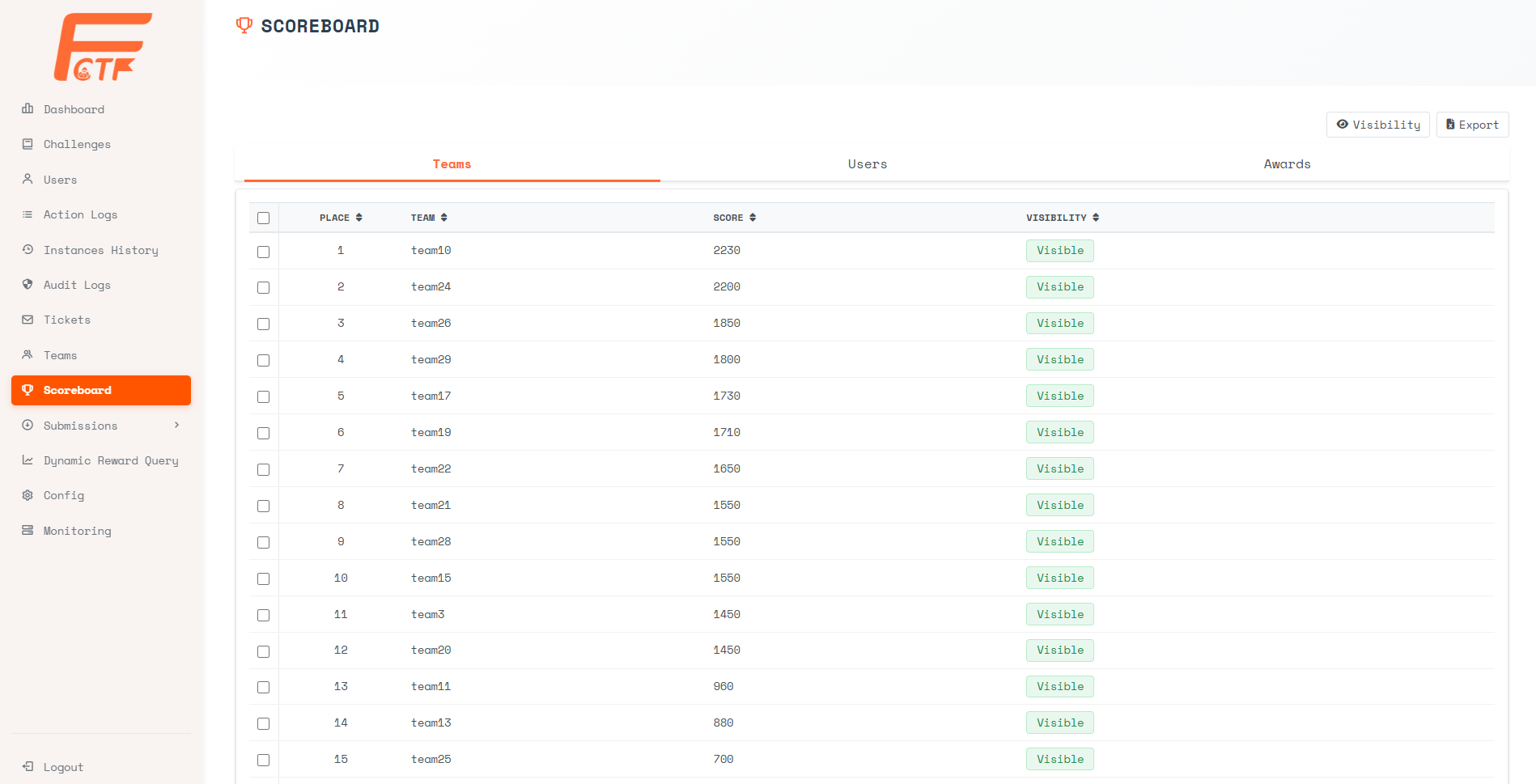
Tabs:
- Teams - Displays the ranked leaderboard by team, showing Place, Team Name, Score, and Visibility status.
- Users - Switches to individual user rankings.
- Awards - Lists all granted awards across the competition.
Table Columns (Teams tab):
- Place - The overall team rank.
- Team - The team name.
- Score - The total accumulated points.
- Visibility - Whether the team's score is
VisibleorHiddenon the public scoreboard.
Available Actions:
- Visibility - Toggle the visibility of the entire public scoreboard globally (e.g., freeze the scoreboard near end of competition).
- Export - Download the current standings as a data file.
Dynamic Reward Query
The Dynamic Reward Query engine is a powerful, template-driven analytics tool that automates the computation of award-eligible teams based on configurable criteria.
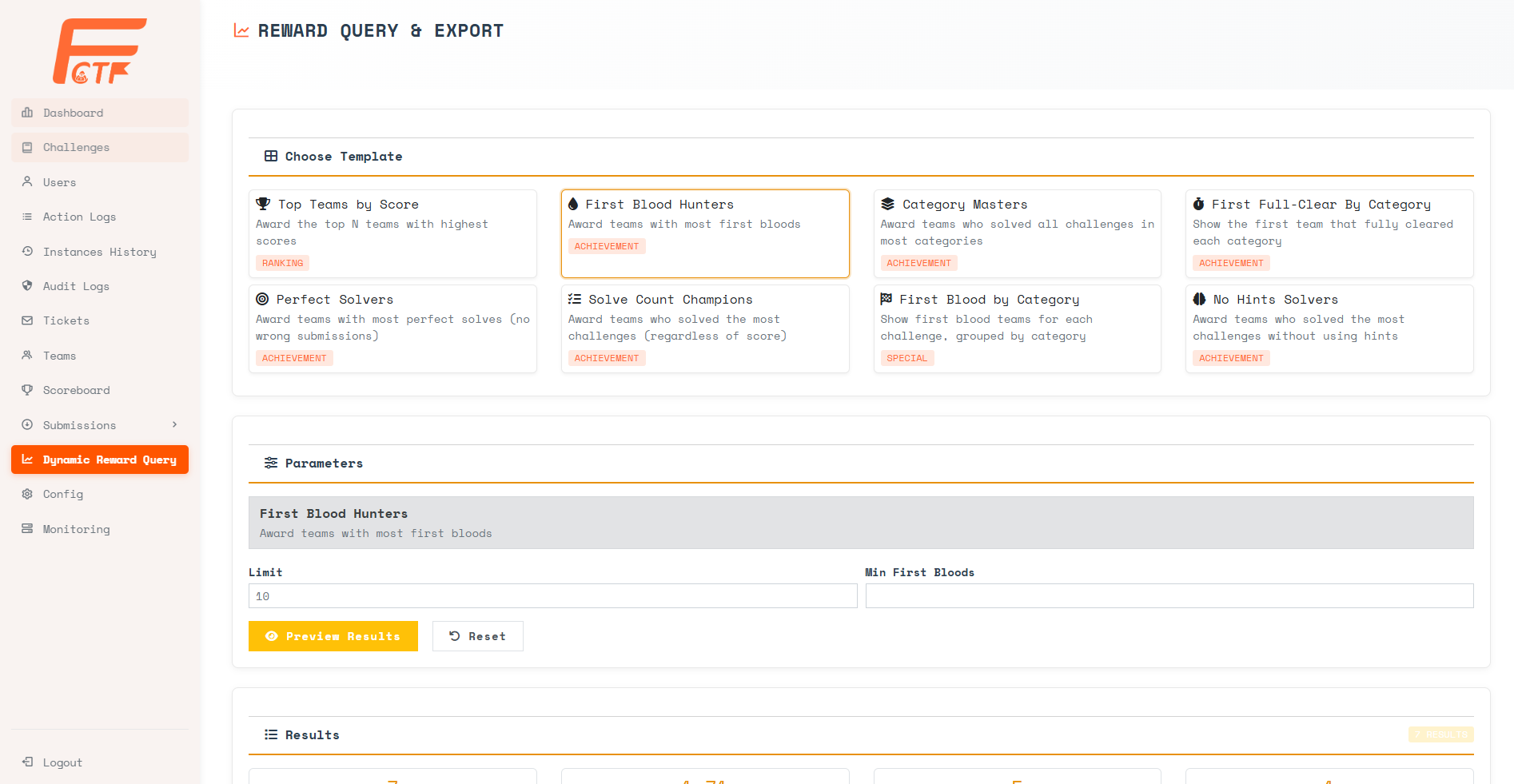
Template Selection:
Select a reward template card from the pre-built options:
| Template | Description | Type |
|---|---|---|
| Top Teams by Score | Award the top N teams with highest scores. | Ranking |
| First Blood Hunters | Award teams with the most first bloods (first correct submission on a challenge). | Achievement |
| Category Masters | Award teams who solved all challenges in the most categories. | Achievement |
| First Full-Clear By Category | Show the first team that fully cleared each category. | Achievement |
| Perfect Solvers | Award teams with the most perfect solves (no wrong submissions). | Achievement |
| Solve Count Champions | Award teams who solved the most challenges (regardless of score). | Achievement |
| First Blood by Category | Show first blood teams for each challenge, grouped by category. | Special |
| No Hints Solvers | Award teams who solved the most challenges without using hints. | Achievement |
Parameters:
After selecting a template, the Parameters section dynamically renders the relevant configuration inputs (e.g., Limit for result count, Min First Bloods for threshold filtering). Click [Preview Results] to generate the output, or [Reset] to clear the form.
Results:
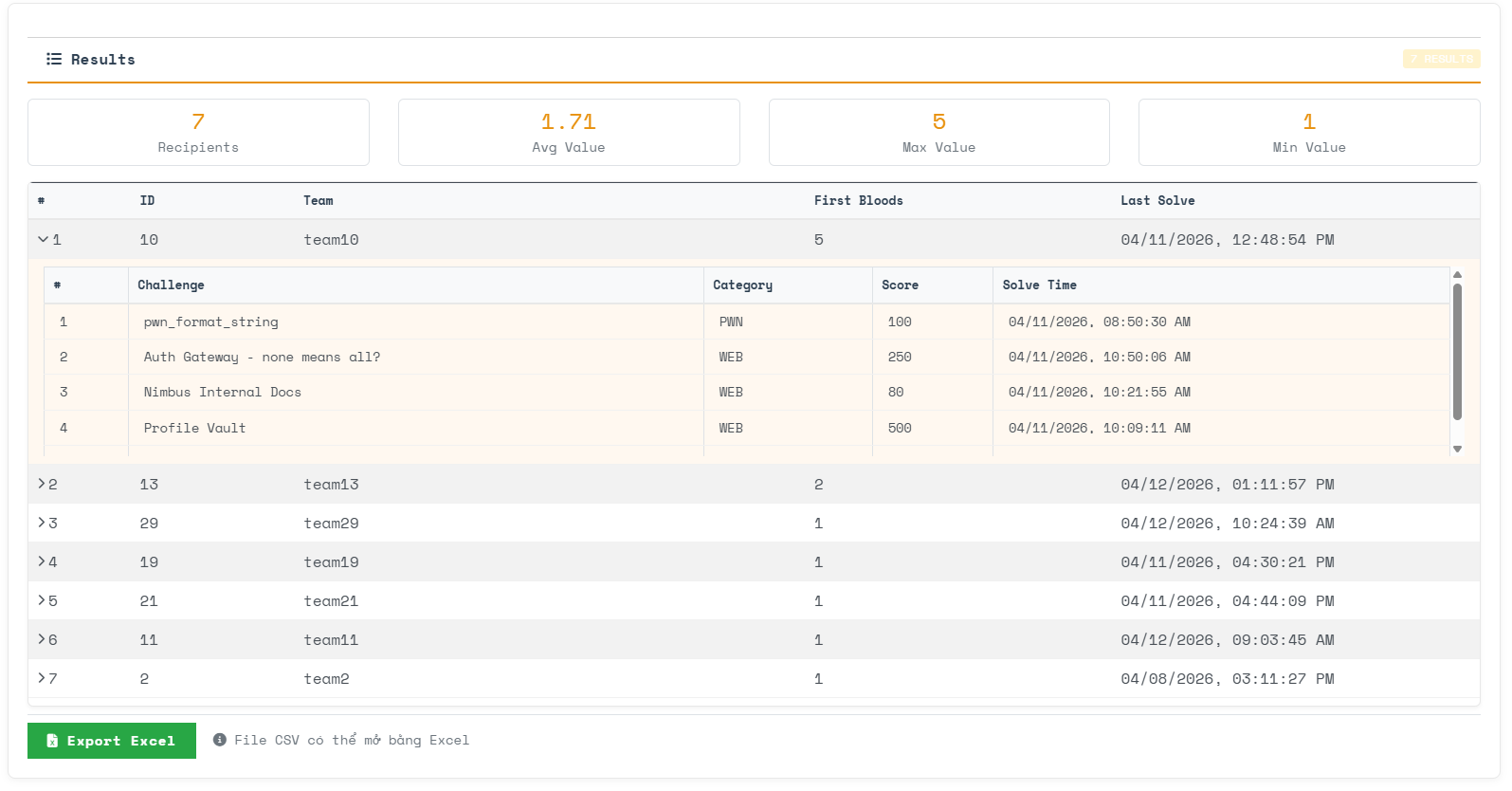
The results panel provides:
- Summary Statistics - Recipients count, Average Value, Max Value, and Min Value displayed as highlighted metrics.
- Detailed Breakdown - An expandable table showing each qualifying team with their Team ID, Team Name, achievement value (e.g., First Bloods count), and Last Solve timestamp. Expand a row to drill down into the specific challenges that contributed to the achievement.
- Export Excel - Download the complete result set as a CSV file (openable in Excel) for official record-keeping and ceremony preparation.