Access and Discovery
This page explains how contestants enter the platform, navigate challenge categories, and understand challenge accessibility before starting runtime.
Scope
- Sign-in context and top navigation behavior
- Challenge category discovery and challenge selection
- Challenge detail inspection and file access
- Requirement-aware locking and eligibility checks
Sign In and Contest Context
Contestants authenticate using the provided username/password pair.
After login, the layout provides a persistent context bar:
- Active navigation tabs (
Challenges,Instances,Scoreboard,Action Logs,Tickets) - Team/user identity in the top-right profile area
- Contest countdown (
Starts inorEnds in) when event timing is active
Discover Challenges by Category
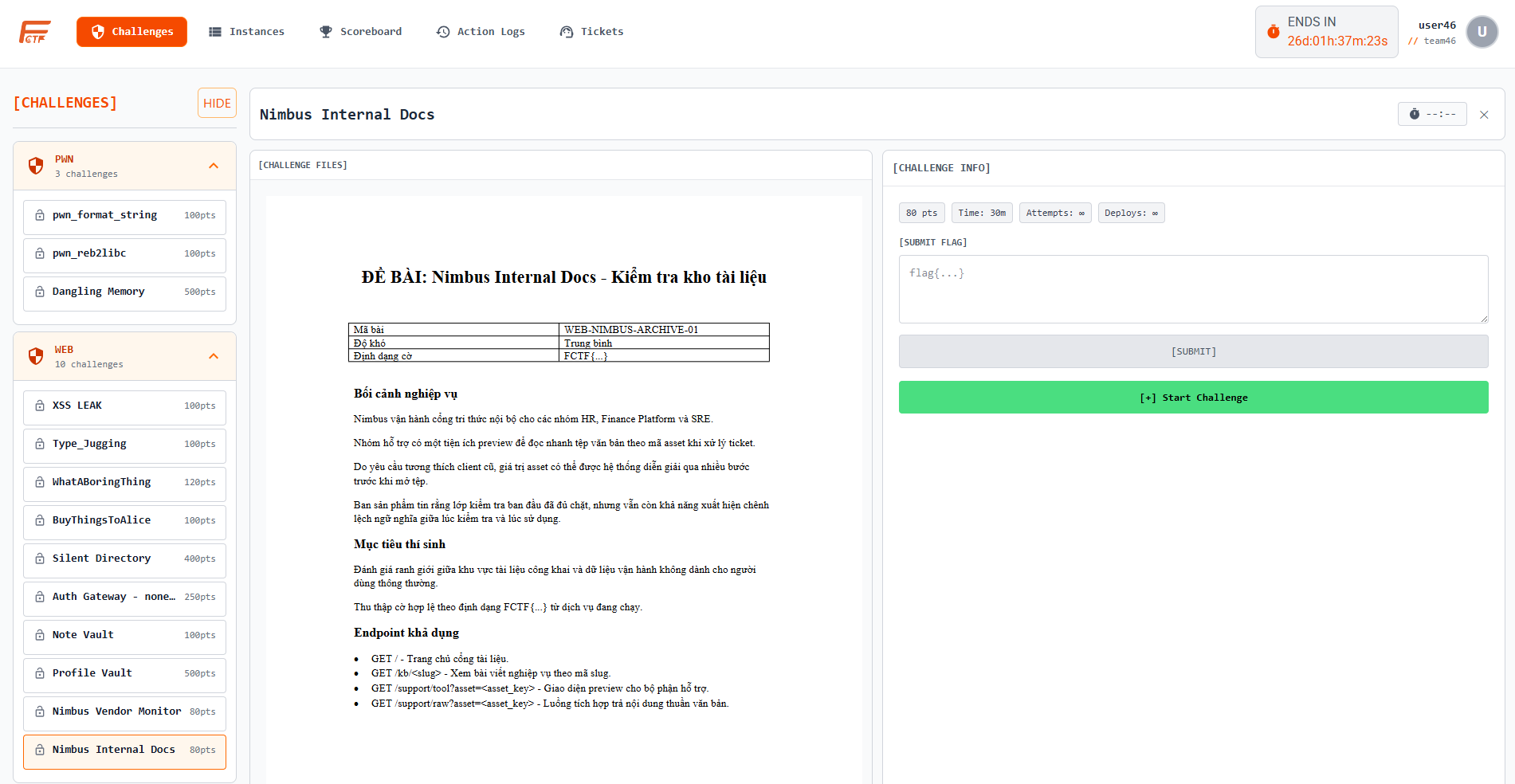
Contestants open the Challenges page to browse category groups (for example Web/Pwn) and then choose a challenge from the expanded list.
Inspect Challenge Detail
When a challenge is selected, contestants can inspect:
- Challenge metadata (
pts,Time,Attempts,Deployswhen deploy is required) - Difficulty and solve count
- Description and PDF problem statement preview
- Downloadable attachments in
[ATTACHMENTS] - Runtime and submission panels
Requirement-Aware Access
Challenge access is not only UI-driven; it is policy-driven:
- If prerequisites are unmet, the challenge can appear as locked.
- Requirement checks are validated before full challenge access.
- Hidden or restricted challenge states are enforced server-side.
Attachment Handling
Contestants can access official challenge artifacts directly from challenge detail:
- PDF files are rendered in the built-in viewer for quick reading.
- Non-PDF assets are downloadable through the attachment list.
- File access remains controlled by challenge visibility and requirement status.
Related Reading
Challenge Discovery and Visibility Rules
Participant goal: Locate relevant challenges quickly and understand access conditions.
Operational steps
- Open challenge catalog and review available items.
- Filter by category, difficulty, or topic.
- Read challenge brief, files, and expected outputs carefully.
- Check prerequisite and event-phase visibility conditions.
- Choose target challenge aligned with team strategy.
Expected result: Faster challenge selection with lower context confusion.
Team Membership and Mode Constraints
Participant goal: Ensure all actions are recorded under the correct team identity.
Operational steps
- Verify account-team linkage before submitting any answer.
- Confirm role scope (captain/member) for team operations.
- Validate teammate visibility in shared context.
- Resolve membership mismatch via support if needed.
- Proceed only after team context is consistent.
Expected result: Team scoring and activity mapping remain accurate.