Solve Workflow
This page documents the practical workflow contestants use during a live event.
1. Open a Challenge and Start Runtime
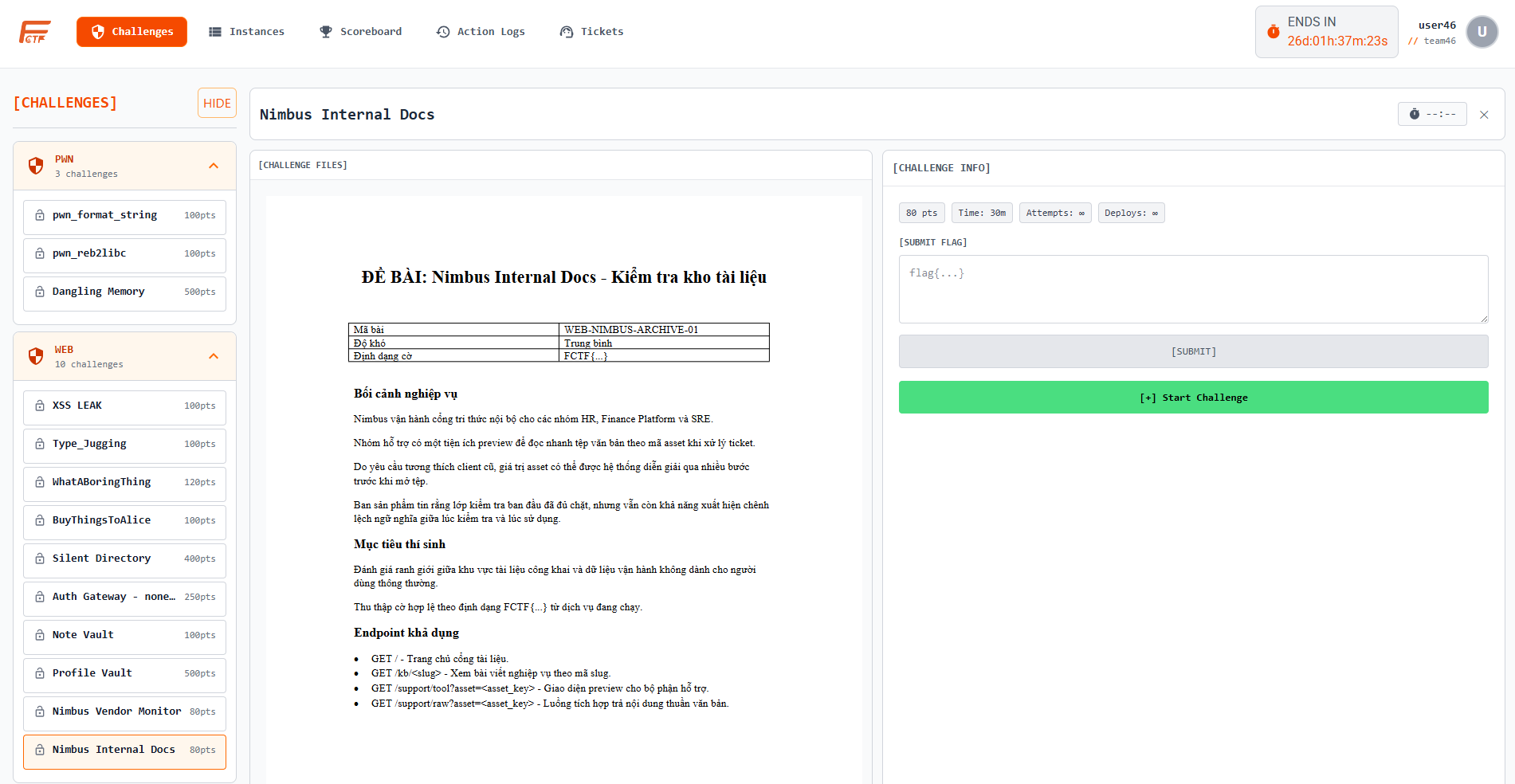
For deploy-required challenges, contestants click [+] Start Challenge from the challenge detail panel.
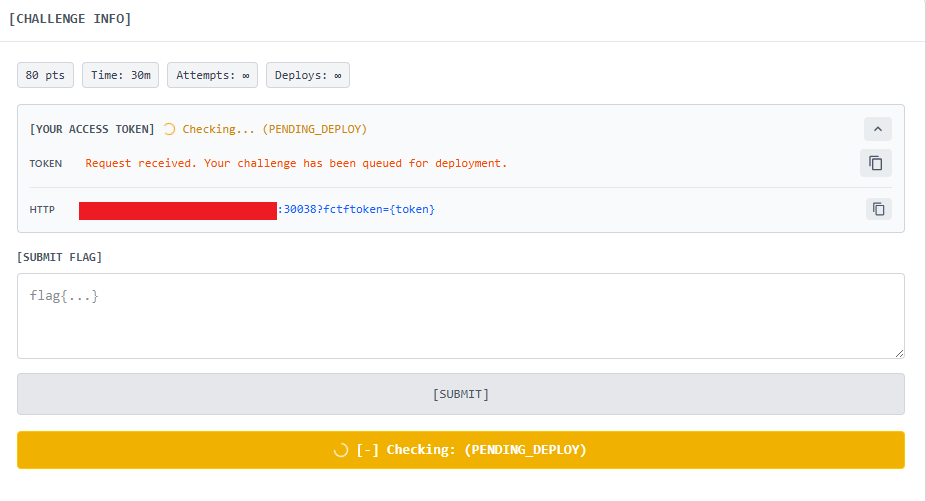
2. Wait for Deployment Readiness
After start is requested, the challenge can enter a pending status while the platform prepares runtime.
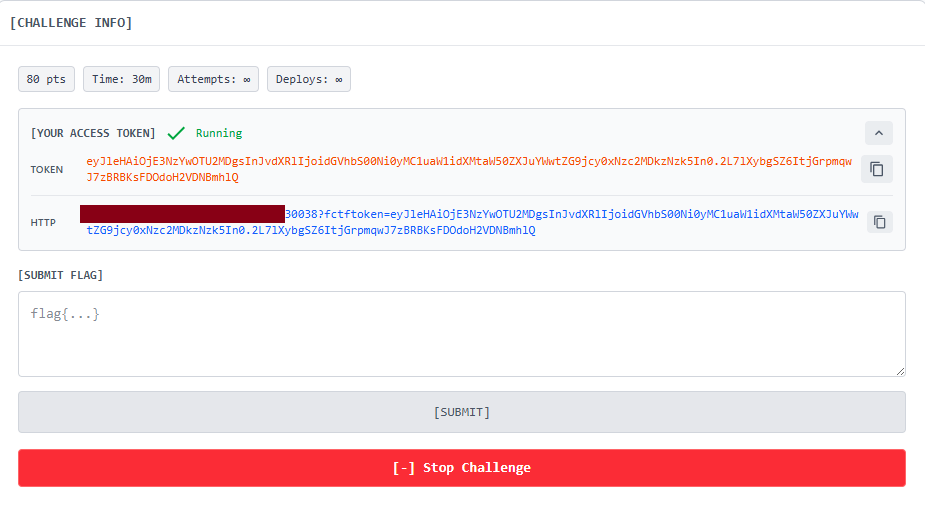
When runtime is ready, contestants receive tokenized access data.
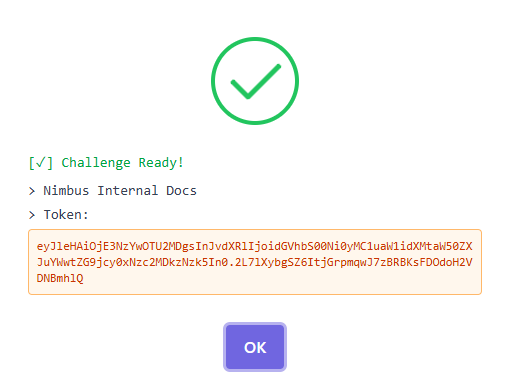
An additional success popup can also present the token/result.
3. Access the Challenge Instance
HTTP protocol
Contestants use the token shown in [YOUR ACCESS TOKEN] with this format:
http://<gateway-host>:<http-port>?fctftoken=<YOUR_TOKEN>
The challenge UI opens after gateway token validation.
TCP protocol
If a challenge is configured for TCP, contestants connect through the gateway and provide the issued token during session authentication:
nc <gateway-host> <tcp-port>
4. Submit Flag
Contestants submit flags in the [SUBMIT FLAG] panel.
The platform handles common verdict states:
correct: score is awarded and challenge is marked solvedincorrect: attempts are consumed and optional cooldown is appliedalready_solved: submission is acknowledged without duplicate scoringratelimited: temporary wait required before retry
5. Stop Runtime When Done
If the challenge is deploy-required, contestants should stop runtime after completion or when switching tasks.
- Use
[-] Stop Challengein challenge detail, or - Use
[STOP]from theInstancespage
This helps keep cluster resources available for all teams.
Related Reading
Runtime Start and Stop Flow
Participant goal: Use challenge environment efficiently and safely.
Operational steps
- Start runtime from challenge detail page.
- Wait for readiness and connection details.
- Access challenge environment and perform solve tasks.
- Monitor runtime status while working.
- Stop runtime when switching tasks or after completion.
- Restart later if further analysis is required.
Expected result: Stable runtime usage with reduced resource waste.
Submission Pipeline and Result Handling
Participant goal: Submit answers clearly and react correctly to verdicts.
Operational steps
- Validate answer format against instructions.
- Submit answer through official challenge interface.
- Review verdict (accepted, incorrect, already solved).
- Track score/rank impact after accepted submission.
- Reassess strategy before retrying incorrect attempts.
Expected result: Submission behavior stays fair and efficient.
Hint Economy and Unlock Rules
Participant goal: Use hints strategically while controlling score trade-offs.
Operational steps
- Review available hints and costs.
- Check unlock prerequisites.
- Decide as a team before spending score.
- Unlock selected hint and apply guidance.
- Re-evaluate next move based on updated score context.
Expected result: Better solve progress with controlled deduction impact.